Our Blogs
- Home
- Blog
How We've Empowered
Businesses
with InnovativeTech Solutions
How to Secure Cloud Perimeter: Network Security Solutions for Multi-Cloud Environments ?
In today's rapidly evolving digital landscape, securing cloud perimeters has become critical as organizations increasingly adopt multi-cloud strategies across AWS, Azure, and Google Cloud Platform. With 80% of data security breaches attributed to misconfigurations and cyber threats becoming more sophisticated, establishing robust network security solutions is no longer optional it's essential for business survival. Understanding Cloud Perimeter Security in the Modern Era: In the rapidly evolving digital landscape, a deep understanding of cloud perimeter security is crucial. This understanding sets the stage for the remainder of the document, enabling readers to grasp the evolving nature of cloud security. Cloud perimeter security represents a fundamental shift from traditional network boundaries to dynamic, software-defined security perimeters that protect distributed cloud resources. Unlike conventional perimeter security, which relies on physical firewalls, today's cloud environments require a comprehensive approach that encompasses identity-aware access controls, continuous monitoring, and automated threat response. The traditional concept of a secure network perimeter has undergone significant evolution. In 2025, organizations must recognize that the perimeter is no longer a fixed boundary but rather a collection of security controls that move with your data and applications across multiple cloud environments. This paradigm shift requires businesses to implement zero-trust security models and embrace cloud-native security solutions. The Critical Risks of Cloud Misconfigurations Cloud misconfigurations pose one of the most significant security threats facing organizations today. Understanding the severity of these risks is crucial, as it underscores the need for immediate action. Understanding Misconfiguration Vulnerabilities Cloud misconfigurations represent one of the most significant security threats facing organizations today. These occur when cloud services are improperly configured, leaving sensitive data and applications exposed to unauthorized access. The complexity of managing multiple cloud platforms significantly increases the likelihood of configuration errors. Common misconfiguration types include: Publicly accessible storage buckets exposing sensitive customer data Inadequate Identity and Access Management (IAM) controls violate least-privilege principles Unencrypted data in storage and transit Default security settings that fail to meet compliance requirements Poorly configured network security groups with overly permissive access rules The Business Impact of Security Gaps: The potential business impact of security gaps is significant. Understanding these consequences is key to realizing the importance of proactive security measures. Research indicates that 99% of cloud environment failures will be attributed to human errors through 2025, making proper configuration management absolutely critical. These misconfigurations can result in: Regulatory fines and penalties under frameworks like GDPR, HIPAA, and PCI DSS Data breaches affect customer trust and brand reputation Operational disruptions impacting business continuity Financial losses from cybersecurity incidents and recovery costs Cloud-Native Firewalls: The Evolution of Network Protection Next-Generation Firewall Integration Cloud-native firewalls have emerged as essential components of modern multi-cloud security architectures. Unlike traditional hardware-based firewalls, these solutions are designed specifically for cloud environments and offer deep packet inspection, application awareness, and threat intelligence integration. Key advantages of cloud-native firewalls include: Scalable protection that automatically adjusts to changing workload demands Application-layer filtering with URL filtering and malware prevention East-west traffic inspection between cloud segments Integration with cloud provider APIs for seamless management Zero-trust enforcement with identity-aware access controls Implementing Firewall Strategies Across Providers Each primary cloud provider offers distinct firewall capabilities that organizations must understand and leverage effectively: AWS: AWS WAF provides application-layer protection, while Security Groups and NACLs control network-level access. AWS Shield offers DDoS protection. Azure: Network Security Groups (NSGs) and Azure Firewall provide comprehensive network protection, with Application Gateway offering web application firewall capabilities. GCP: VPC Service Controls create security perimeters around PaaS resources, while Cloud Armor provides DDoS and application attack protection. Cloud Security Posture Management (CSPM): The Foundation of Proactive Security Cloud Security Posture Management (CSPM) is not just a response to threats, but a proactive cornerstone of modern cloud security strategies. It provides continuous visibility, automated compliance checking, and rapid remediation across multi-cloud environments, ensuring that your organization is always prepared and one step ahead of potential security risks. Core CSPM capabilities include: Configuration assessment against security benchmarks like CIS and NIST frameworks Vulnerability scanning with prioritized remediation recommendations Identity and Access Management analysis, ensuring least-privilege access Threat detection using AI and machine learning algorithms Automated remediation for common security misconfigurations Leading CSPM Solutions for 2025 The market offers several robust CSPM platforms, each with unique strengths: Top-tier CSPM providers include: SentinelOne Singularity Cloud: Offers agentless deployment with real-time secret scanning and offensive security testing Palo Alto Prisma Cloud: Provides comprehensive cloud-native application protection with strong DevOps integration Microsoft Defender for Cloud: Delivers multi-cloud visibility with deep Azure integration Check Point CloudGuard: Features advanced threat prevention with centralized policy management Integrating Network Security Across AWS, Azure, and GCP Multi-Cloud Network Architecture Design Successful multi-cloud security requires a unified approach that leverages the strengths of each cloud provider while maintaining consistent security policies across all platforms. Organizations must design network architectures that enable secure connectivity, traffic segmentation, and centralized monitoring across all cloud environments. Essential integration strategies include: Standardized Infrastructure as Code (IaC) templates for consistent deployments Centralized key management for encryption across all platforms Unified monitoring and logging with SIEM integration Cross-cloud network segmentation using VPCs and virtual networks Identity federation enabling single sign-on across cloud providers Provider-Specific Security Integration AWS Security Integration: Leverage Security Hub as a central dashboard, integrate GuardDuty for threat detection, and use AWS Config for compliance monitoring. Connect with third-party CSPM solutions via APIs for enhanced visibility and control. Azure Security Integration: Utilize Defender for Cloud as the primary security management platform, implement Azure Policy for governance, and integrate with Microsoft Entra ID for identity management. Enable cross-subscription monitoring for comprehensive coverage. GCP Security Integration: Deploy Security Command Center for centralized visibility, use Cloud Asset Inventory for resource tracking, and implement VPC Service Controls for data perimeter protection—Leverage Policy Intelligence for access optimization. Cybersecurity Compliance in Multi-Cloud Environments Regulatory Framework Navigation Understanding the unique challenges of multi-cloud compliance is crucial, as organizations must adhere to various regulatory requirements across different cloud platforms and jurisdictions. This understanding, combined with the implementation of consistent controls across all environments, will ensure your organization is always compliant and prepared for any regulatory audit. Key compliance considerations include: Data residency requirements ensure that data stays within the required geographical boundaries Encryption standards meeting specific regulatory mandates Access controls implementing role-based access with audit trails Incident response procedures with required notification timelines Regular compliance assessments with third-party validation Automated Compliance Management Automation is not just a convenience, but a necessity for maintaining compliance across complex multi-cloud environments. Modern CSPM solutions provide continuous compliance monitoring, automated evidence collection, and streamlined reporting, thereby reducing manual overhead and ensuring consistent adherence to regulatory requirements, thereby giving you the confidence that your organization is always compliant. Compliance automation features include: Real-time policy violation detection with immediate alerts Automated remediation for common compliance gaps Audit-ready reporting for frameworks like SOC 2, ISO 27001, and PCI DSS Risk scoring to prioritize compliance remediation efforts Integration with GRC platforms for enterprise risk management Advanced Cybersecurity Techniques for Cloud Protection AI-Powered Threat Detection Artificial intelligence and machine learning are revolutionizing cloud security by enabling real-time behavioral analysis, anomaly detection, and predictive threat intelligence. These technologies can process vast amounts of cloud data to identify patterns that human analysts might miss. Advanced AI capabilities include: Behavioral baseline establishment for normal cloud operations Anomaly detection identifies unusual user or system behavior Automated threat correlation connecting disparate security events Predictive threat modeling, anticipating potential attack vectors Intelligent incident response with automated containment actions Zero-Trust Architecture Implementation Zero-trust security models have become fundamental to cloud security, operating on the principle that no entity should be trusted by default, regardless of location or credentials. This approach is particularly crucial in multi-cloud environments where traditional perimeter controls are insufficient. Zero-trust implementation requires: Identity verification for every access request Microsegmentation of network resources Least-privilege access with just-in-time permissions Continuous monitoring of all user and system activities Encrypted communications for all data transfers Managed Security Service Providers: Strategic Partnerships The Role of MSSPs in Cloud Security Managed Security Service Providers (MSSPs) play a crucial role in helping organizations achieve comprehensive cloud security without requiring extensive in-house expertise. These providers offer 24/7 monitoring, threat detection, and incident response services specifically designed for cloud environments. MSSP services typically include: Security Operations Center (SOC) monitoring with expert analysts Threat intelligence integration and analysis Compliance management with regulatory reporting Incident response with forensic investigation capabilities Security tool management and optimization Selecting the Right MSSP Partner Choosing an appropriate MSSP requires careful evaluation of their cloud security expertise, tool integration capabilities, and compliance credentials. Organizations should prioritize providers with cloud-specific certifications and proven experience across multiple clouds. Key selection criteria include: Cloud provider certifications (AWS, Azure, GCP competencies) Industry-specific compliance expertise Integration capabilities with existing security tools Scalability to support business growth Geographic coverage for global operations Top Cybersecurity Companies Leading Cloud Innovation Industry Leaders in 2025 The cybersecurity landscape continues to evolve rapidly, with several companies emerging as leaders in cloud-native security solutions and multi-cloud protection. These organizations are driving innovation in areas such as CSPM, cloud workload protection, and automated threat response. Leading cybersecurity companies include: Palo Alto Networks: Pioneering next-generation firewalls and comprehensive cloud security platforms CrowdStrike: Leading endpoint detection and response with cloud workload protection Check Point: Providing unified threat prevention across hybrid environments Fortinet: Offering integrated security fabric for multi-cloud deployments Microsoft: Delivering cloud-native security through Azure Defender and integrated services Emerging Technologies and Trends Advances in artificial intelligence, quantum-resistant encryption, and automated response capabilities are shaping the future of cloud security. Organizations must stay informed about these developments to maintain competitive security postures. Key trends for 2025 include: AI-driven security orchestration with automated playbook execution Quantum-safe cryptography preparation for future threats Extended detection and response (XDR) across cloud and on-premises environments DevSecOps integration with security-as-code practices Cloud-native application protection platforms (CNAPPs) for comprehensive coverage Best Practices for Multi-Cloud Security Implementation Strategic Planning and Architecture Successful multi-cloud security requires a comprehensive strategy that addresses governance, technical implementation, and ongoing operations. Organizations must develop clear policies and procedures that work consistently across all cloud providers. Essential best practices include: Comprehensive asset inventory across all cloud environments Standardized security policies with provider-specific implementations Regular security assessments, including penetration testing Employee training programs on cloud security best practices Incident response procedures tailored for cloud environments Continuous Improvement and Monitoring Security is not a one-time implementation; instead, it requires ongoing attention and improvement. Organizations must establish processes for continuous monitoring, regular updates, and adaptive security measures that evolve in response to the changing threat landscape. Key operational practices include: Regular policy reviews and updates based on new threats Automated security testing integrated into CI/CD pipelines Threat intelligence integration for proactive defense Performance monitoring to ensure security doesn't impact operations Vendor management for third-party security tools and services Conclusion: Securing cloud perimeters in multi-cloud environments requires a comprehensive approach that combines advanced technology, strategic planning, and continuous vigilance. Organizations must embrace cloud-native security solutions, implement robust CSPM practices, and maintain consistent security policies across all cloud providers. The journey toward comprehensive cloud security involves understanding the unique risks associated with each cloud platform, implementing appropriate technical controls, and maintaining ongoing compliance with relevant regulatory requirements. By partnering with experienced managed security service providers and leveraging leading cybersecurity technologies, organizations can build resilient security postures that protect against evolving threats while enabling business growth and innovation. Success in multi-cloud security ultimately depends on taking a proactive approach that prioritizes visibility, automation, and continuous improvement. As cloud environments continue to evolve, organizations that invest in comprehensive security strategies today will be best positioned to defend against tomorrow's threats while maximizing the benefits of their multi-cloud investments.
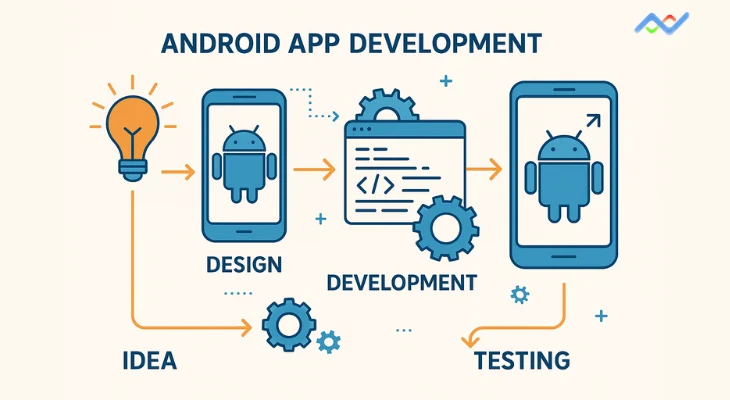
Top Android App Development Companies in Noida: 2025 Buyer's Guide
In today's digital landscape, businesses across industries are racing to establish their mobile presence, and Android development has become the cornerstone of this transformation. Noida, emerging as India's fastest-growing tech hub, stands at the forefront of this mobile revolution. With the global mobile app market expected to reach $613 billion by 2025, finding the right development partner isn't just important—it's critical to your business success. This comprehensive buyer's guide will walk you through everything you need to know about selecting an Android app development company in Noida. From understanding market dynamics to evaluating potential partners, we'll provide you with the insights necessary to make an informed decision that aligns with your business goals and budget. The Noida Android Development Landscape: A Market Overview Noida has transformed into a technology powerhouse, hosting numerous companies that specialize in Android app development. The city's strategic location within the National Capital Region, combined with its robust IT infrastructure and skilled talent pool, makes it an ideal destination for businesses seeking cost-effective yet high-quality Android development solutions. Market Size and Growth Potential The Indian mobile app market presents remarkable opportunities. According to recent statistics, India is now the world's number one market for mobile app downloads, generating the most downloads from both the Apple App Store and Google Play Store combined. The app revenue in India is predicted to reach $3.997 billion in 2025, with Android capturing an impressive 94.81% market share as of March 2025. This dominance creates an enormous opportunity for businesses looking to tap into the Indian market. With over 158.4 million app users in India in 2023, including 35.9 million paying users, the potential for revenue generation through well-crafted Android applications is substantial. Why Android Dominates the Indian Market Several factors contribute to Android's overwhelming success in India. Affordability remains the primary driver, with Android devices fitting various income groups across the country. The extensive device range, from budget smartphones within the INR 7,000-10,000 range to premium devices exceeding INR 25,000, ensures that every user segment can find a suitable device. Android's open-source nature further enhances its appeal, minimizing development costs and enabling businesses to innovate at an unprecedented pace. This ecosystem creates a fertile ground for app development companies in Noida to thrive and deliver cost-effective solutions to their clients. Leading Android App Development Companies in Noida Based on extensive research and market analysis, here are the top Android app development companies operating in Noida, each bringing unique strengths and capabilities to the table: Networsys Technologies LLP Founded in 2016, Networsys Technologies has emerged as a dynamic IT company with a global presence spanning Noida, Hyderabad, and Dallas, Texas. The company has built a strong reputation in the Android app development space while maintaining expertise across multiple technology domains. Key Statistics: Founded: 2016 Team Size: 200+ professional team members Client Base: 200+ satisfied customers Project Portfolio: 175+ successful projects Experience: 8+ years in the industry Networsys Technologies offers best Android app development services alongside ERP development, custom software solutions, cybersecurity services, digital marketing, and web development. Their client testimonials highlight their deep expertise in optimization and development, with one client noting their "deep expertise in SEO and web optimization, combined with their proactive and client-focused approach". The company's project management capabilities have received particular praise, with clients noting their adherence to timelines and highly responsive communication. Their attention to detail and commitment to client needs have resulted in improved search engine rankings, increased organic traffic, and better user engagement for their clients. Mobulous Technologies Founded in 2013, Mobulous Technologies has established itself as one of the premier Android app development companies in Noida. With over 250 apps developed and successfully deployed in app stores, the company boasts a team of 50+ passionate mobility experts who specialize in creating innovative and user-friendly mobile applications. Key Statistics: Team Size: 100+ developers, designers, and strategists Experience: Over 10 years in mobile app development Success Rate: 98% on the UpWork platform Client Rating: 4.7/5 on Clutch.co Projects Completed: 3,500+ mobile apps developed Mobulous offers comprehensive iOS and Android app development services, from ideation to implementation. Their expertise spans various industries, including healthcare, e-commerce, fintech, and entertainment. The company's commitment to quality is evident in their achievement as the Best Mobile App Development Company by GESIA and their consistent high ratings across multiple platforms. AppSquadz Established in 2014, AppSquadz has grown into a leading Android app development company in Noida, known for delivering high-performance and scalable applications. The company works closely with clients to understand their business goals and creates applications that stand out in today's competitive market. Key Statistics: Founded: 2014 Team Size: 201-500 employees Hourly Rate: $20-$25 Google Rating: 3.7/5 AppSquadz specializes in native app development, cloud migration services, and digital transformation solutions. Their strong focus on security and scalability makes them an ideal choice for enterprises looking to develop robust Android applications. Ajath Infotech Since 2016, Ajath Infotech has positioned itself as a reliable choice for Android app development in Noida. Their skilled development team focuses on delivering customized solutions, ensuring each application aligns perfectly with the client's business needs. Key Statistics: Founded: 2016 Team Size: 201-500 employees Google Rating: 3.8/5 Key Features: Affordable pricing, quick delivery The company specializes in blockchain development, mobile app development, web and CMS development, and AI & ML development, making them versatile partners for businesses across different technological requirements. Infiniticube Founded in 2017, Infiniticube stands out as an Android app development company known for its expertise in both design and development. Their team ensures that applications are not only functional but also aesthetically pleasing, providing exceptional user experiences. Key Statistics: Founded: 2017 Team Size: 11-50 employees Hourly Rate: $60-$65 Google Rating: 4.8/5 With a focus on comprehensive services and user-centric design, Infiniticube offers design & development, mobility solutions, blockchain development, data-driven business solutions, and IT modernization services. BigOhTech Despite being founded in 2021, BigOhTech has quickly established itself as a prominent player in Android app development in Noida. The company focuses on building applications that are both high-performing and user-friendly, ensuring businesses maintain a strong mobile presence. Key Statistics: Founded: 2021 Team Size: 51-200 employees Hourly Rate: $25-$40 Google Rating: 3.3/5 BigOhTech's services include iOS app development, Android app development, Flutter app development, Shopify app development, and product development, with a particular emphasis on transparent communication and customer-first mentality. Understanding Development Costs in Noida One of the primary advantages of choosing Android app development companies in Noida is the cost-effectiveness without compromising quality. Understanding the pricing structure helps businesses make informed decisions about their development investment. Hourly Rate Structure The hourly rates for Android app developers in Noida vary based on experience level and expertise: Experience-Based Pricing: Junior Developers (0-2 years): $10-$18 per hour Mid-Level Developers (3-5 years): $20-$30 per hour Senior Developers (5+ years): $30-$40 per hour Specialized Developers (AI/ML, Blockchain): $40-$50+ per hour Regional Comparison: Noida offers competitive rates compared to other major Indian cities: Noida: $25-$50 per hour (high-quality development) Bangalore: $15-$30 per hour Chennai: $10-$20 per hour Pune: $15-$30 per hour Ahmedabad: $10-$20 per hour Project-Based Pricing The total cost for Android app development in Noida depends on complexity and features: Basic Applications: Simple utility apps: ₹50,000 – ₹1,50,000 ($600-$1,800) Development time: 2-4 weeks Medium Complexity Applications: E-commerce, GPS, chat features: ₹2,00,000 – ₹6,00,000 ($2,400-$7,200) Development time: 2-4 months Complex Applications: Enterprise-level with AI, AR/VR: ₹7,00,000 – ₹20,00,000+ ($8,400-$24,000+) Development time: 4-8 months Industry-Specific Pricing: Different industries command varying price ranges based on complexity and regulatory requirements: Healthcare apps: $18,000-$55,000 Fintech apps: $30,000-$80,000 E-commerce apps: $20,000-$60,000 Social media apps: $20,000-$40,000 Enterprise apps: $30,000-$80,000 Key Evaluation Criteria for Choosing the Right Partner Selecting the ideal Android app development company requires careful evaluation of multiple factors. Based on industry best practices and expert recommendations, here are the critical criteria to consider: Technical Expertise and Skills Assessment Programming Language Proficiency: The best Android app development companies should demonstrate expertise in modern programming languages: Kotlin (Google's preferred language for Android) Java (traditional Android development) Understanding of Android SDK and APIs Experience with Android Studio IDE Framework and Technology Stack: Evaluate the company's experience with current technologies: Jetpack Compose for modern UI development Firebase for backend services RESTful APIs and third-party integrations Cloud platforms (AWS, Google Cloud, Azure) Modern architecture patterns (MVVM, Clean Architecture) Portfolio Analysis and Project Diversity Project Variety Assessment: A comprehensive portfolio should demonstrate: Experience across multiple industries Range of app complexities (simple to enterprise-level) Both B2B and B2C application development Integration of modern technologies (AI, AR/VR, IoT) Quality and Functionality Evaluation: When reviewing portfolio applications: User interface design and user experience App performance and loading speeds Cross-device compatibility Security implementation App Store ratings and user reviews Client Testimonials and Case Studies Communication and Project Management: Client feedback often reveals crucial insights about: Adherence to project timelines Quality of communication throughout development Problem-solving capabilities Post-launch support and maintenance Transparency in project management Success Metrics: Look for measurable outcomes in case studies[URL content]: Improved user engagement metrics Increased app downloads and ratings Revenue growth attributable to the app Technical performance improvements Market success indicators Development Methodology and Process Agile Development Practices: The best companies follow structured development processes: Requirement analysis and planning (10% of project cost) UI/UX design phase (15% of project cost) Frontend development (25% of project cost) Backend development (30% of project cost) Testing and quality assurance (10% of project cost) Deployment and maintenance (10% of project cost) Quality Assurance Standards: Comprehensive testing approaches should include: Functional testing across different devices Performance testing under various conditions Security testing and vulnerability assessment User acceptance testing Post-launch monitoring and support Emerging Trends Shaping Android Development in 2025 Understanding current trends helps businesses make future-ready decisions when selecting development partners. The Android development landscape is rapidly evolving, driven by technological innovations and changing user expectations. Artificial Intelligence and Machine Learning Integration AI and ML integration has become a cornerstone of modern Android development. Companies are leveraging these technologies to create: Personalized User Experiences: Intelligent recommendation systems Behavioural pattern analysis Predictive user interface elements Customized content delivery Automation and Efficiency: AI-powered chatbots for customer support Automated workflow optimization Predictive analytics for business intelligence Natural language processing capabilities The integration of AI in mobile apps is expected to increase by $354.09 billion by 2029, making it crucial for development companies to have expertise in these technologies. 5G Technology and Enhanced Performance The widespread rollout of 5G networks is revolutionizing Android app capabilities. Key improvements include: Performance Enhancements: 10x decrease in latency compared to 4G Up to 100 times faster data transmission speeds Enhanced support for bandwidth-intensive features Improved real-time application performance New Application Possibilities: Cloud gaming without lag Immersive AR/VR experiences Real-time IoT device management Advanced video streaming capabilities Internet of Things (IoT) Integration IoT connectivity has become increasingly important for Android applications. Modern apps are serving as command centers for: Smart Home Management: Remote control of household appliances Automated climate and lighting systems Security system integration Energy consumption monitoring Industrial Applications: Machine monitoring and predictive maintenance Supply chain optimization Real-time data collection and analysis Automated quality control systems Augmented Reality and Virtual Reality AR and VR technologies are reshaping user interaction paradigms. Applications include: Enhanced User Experiences: Virtual try-on capabilities for e-commerce Interactive educational content Location-based AR services Immersive gaming experiences Business Applications: Virtual product demonstrations Remote assistance and training Architectural visualization Medical training simulations Foldable Device Optimization The rise of foldable devices presents new opportunities and challenges. Key considerations include: Adaptive Design Requirements: Multi-window support capabilities Responsive interface adaptation Seamless transition between folded and unfolded states Optimized user experiences across different screen configurations Market Growth Projections: The foldable device market is projected to reach $54.65 billion by 2028, making it essential for development companies to understand these technologies. Common Challenges and How to Address Them Understanding potential challenges helps businesses make more informed decisions and set realistic expectations for their Android development projects. Device Fragmentation Issues Android's diverse ecosystem presents unique challenges: Hardware Diversity: Multiple screen sizes and resolutions Varying processing capabilities Different memory configurations Diverse sensor capabilities Operating System Variations: Multiple Android versions are in active use Manufacturer-specific customizations Security patch inconsistencies Feature availability variations Mitigation Strategies: Work with companies that demonstrate expertise in responsive design, comprehensive testing across devices, and adaptive architecture patterns that accommodate various hardware configurations. Security and Privacy Concerns Mobile app security remains a critical challenge: Common Security Threats: Data breach vulnerabilities Insecure data storage Inadequate encryption implementation Authentication weaknesses Best Practices for Security: Choose development partners that implement comprehensive security measures, including secure coding practices, regular security audits, compliance with data protection regulations, and robust authentication mechanisms. Performance Optimization Ensuring optimal app performance across diverse devices requires expertise: Performance Factors: Memory management optimization Battery life considerations Network connectivity variations Background process management Quality Assurance Requirements: Partner with companies that maintain rigorous testing standards, including performance testing under various conditions, memory leak detection, and optimization for different network speeds. Market Competition and App Visibility Standing out in crowded app stores requires strategic planning: Market Challenges: Over 3.5 million apps on the Google Play Store Increasing user acquisition costs Changing algorithm preferences User retention difficulties Success Strategies: Work with development partners who understand app store optimization, user engagement strategies, analytics implementation, and post-launch marketing support. Making Your Final Decision Selecting the right Android app development company requires a systematic evaluation process. Here's a strategic framework to guide your decision-making: Define Your Project Requirements Business Objectives Clarity: Primary business goals for the application Target audience demographics and preferences Expected return on investment timelines Integration requirements with existing systems Technical Specifications: Required features and functionalities Performance expectations and benchmarks Security and compliance requirements Scalability needs for future growth Evaluate Company Capabilities Technical Assessment: Review portfolio projects similar to your requirements Evaluate technical expertise in relevant technologies Assess understanding of your industry vertical Verify experience with required integrations Business Compatibility: Communication style and responsiveness Project management methodologies Pricing transparency and flexibility Long-term support capabilities Risk Assessment and Mitigation Project Risks: Timeline adherence capabilities Budget management track record Team stability and retention rates Intellectual property protection measures Mitigation Strategies: Detailed contract specifications Milestone-based payment structures Regular progress review mechanisms Clear communication protocols Industry-Specific Considerations Different industries have unique requirements that influence the selection of development partners. Understanding these nuances helps in making more informed decisions. Healthcare and Medical Applications Regulatory Compliance: Healthcare apps must adhere to strict regulations: HIPAA compliance for patient data protection FDA guidelines for medical device applications Data encryption and secure transmission requirements Audit trail maintenance for regulatory reviews Technical Requirements: Integration with Electronic Health Records (EHR) Real-time patient monitoring capabilities Telemedicine and video consultation features Prescription and appointment management systems Financial Technology (FinTech) Security Standards: Financial applications require the highest security levels: PCI DSS compliance for payment processing Multi-factor authentication implementation Fraud detection and prevention systems Real-time transaction monitoring capabilities Integration Requirements: Banking API integrations Payment gateway implementations Cryptocurrency wallet functionality Regulatory reporting capabilities E-commerce and Retail User Experience Focus: Retail applications prioritize user engagement: Intuitive product catalog management Seamless checkout processes Personalized recommendation engines Social media integration capabilities Business Intelligence: Analytics and reporting dashboards Inventory management systems Customer behaviour tracking Sales performance monitoring Future-Proofing Your Android Application Selecting a development partner who understands future trends ensures your application remains relevant and competitive. Emerging Technology Integration Artificial Intelligence Capabilities: Machine learning algorithm implementation Natural language processing integration Computer vision and image recognition Predictive analytics and automation Advanced Connectivity: 5G network optimization Edge computing implementation IoT device integration Real-time data synchronization Scalability and Performance Architecture Considerations: Microservices architecture implementation Cloud-native development approaches Containerization and deployment strategies Auto-scaling capabilities for varying loads Performance Optimization: Progressive web app capabilities Offline functionality implementation Background sync capabilities Battery life optimization techniques Cost-Benefit Analysis Framework Making informed financial decisions requires understanding the total cost of ownership and expected returns from your Android application investment. Direct Development Costs Initial Development Investment: Core application development: 60-70% of total budget UI/UX design and user research: 15-20% of total budget Quality assurance and testing: 10-15% of total budget Project management and communication: 5-10% of total budget Technology Licensing: Third-party API subscriptions Cloud hosting and storage costs Security and compliance tool licensing Analytics and monitoring platform costs Ongoing Operational Expenses Maintenance and Updates: Regular security patches and updates Feature enhancements and improvements Performance optimization and bug fixes Platform compliance and certification costs Marketing and User Acquisition: App store optimization services Digital marketing and advertising campaigns User retention and engagement strategies Customer support and service costs Revenue Potential Assessment Monetization Strategies: In-app purchase revenue projections Subscription-based revenue models Advertising revenue possibilities Premium feature upgrade potential Business Impact Measurement: Customer acquisition cost reduction Operational efficiency improvements Brand value and market positioning enhancement Customer lifetime value increases Quality Assurance and Testing Standards Understanding testing methodologies helps evaluate the quality commitment of potential development partners. Comprehensive Testing Approaches Functional Testing: Feature functionality verification across all supported devices User interface consistency testing Integration testing with third-party services Data validation and error handling verification Performance Testing: Load testing under various user scenarios Memory usage optimization testing Battery consumption analysis Network connectivity variation testing Security Testing: Vulnerability assessment and penetration testing Data encryption verification Authentication and authorization testing Privacy compliance validation User Experience Validation Usability Testing: User journey optimization analysis Accessibility compliance verification Cross-cultural usability assessment Device-specific interaction testing Beta Testing Programs: Controlled user group testing Real-world usage scenario validation Feedback collection and implementation Performance monitoring in production environments Long-term Partnership Considerations Successful Android app development extends beyond initial deployment. Evaluating long-term partnership potential ensures continued success. Ongoing Support and Maintenance Technical Support Services: 24/7 monitoring and issue resolution Regular performance optimization updates Security patch management and deployment Feature enhancement and expansion capabilities Business Growth Support: Scalability planning and implementation Market expansion strategy consultation Technology upgrade and modernization Integration with new business systems Knowledge Transfer and Documentation Technical Documentation: Comprehensive code documentation and comments System architecture and design documentation API documentation and integration guides Deployment and maintenance procedures Training and Knowledge Sharing: Team training on application management Best practices documentation and guidelines Troubleshooting and problem resolution procedures Future development roadmap planning Conclusion Selecting the right Android app development company in Noida requires careful consideration of multiple factors, from technical expertise to business compatibility. The companies highlighted in this guide—including Mobulous Technologies, AppSquadz, Ajath Infotech, Infiniticube, BigOhTech, and Networsys Technologies LLP—each bring unique strengths to the table. With Android commanding 94.81% of India's mobile market share and the app economy projected to generate $2.2 trillion in revenue from 2021 to 2030, the opportunity for businesses to succeed through mobile applications has never been greater. However, success depends largely on choosing the right development partner who understands your business needs, technical requirements, and long-term objectives. The development landscape in Noida offers significant cost advantages, with hourly rates ranging from $25-$50 compared to $60-$120 in the US and UK. This cost-effectiveness, combined with the high quality of technical talent and English proficiency, makes Noida an attractive destination for Android app development projects. As you evaluate potential partners, remember to consider not just the initial development costs but the total cost of ownership, including ongoing maintenance, updates, and scaling requirements. The companies that demonstrate clear expertise in emerging technologies like AI, 5G, IoT, and AR/VR will be better positioned to deliver future-ready solutions that can adapt to changing market demands. Your choice should ultimately align with your specific business objectives, technical requirements, budget constraints, and long-term strategic goals. By following the evaluation framework outlined in this guide and carefully assessing each potential partner against your criteria, you'll be well-positioned to make an informed decision that drives your business forward in the competitive mobile marketplace. The future of Android development is bright, with new technologies and opportunities emerging constantly. By partnering with the right development company in Noida, you can tap into this dynamic ecosystem and create applications that not only meet current market needs but are also prepared for tomorrow's challenges and opportunities.
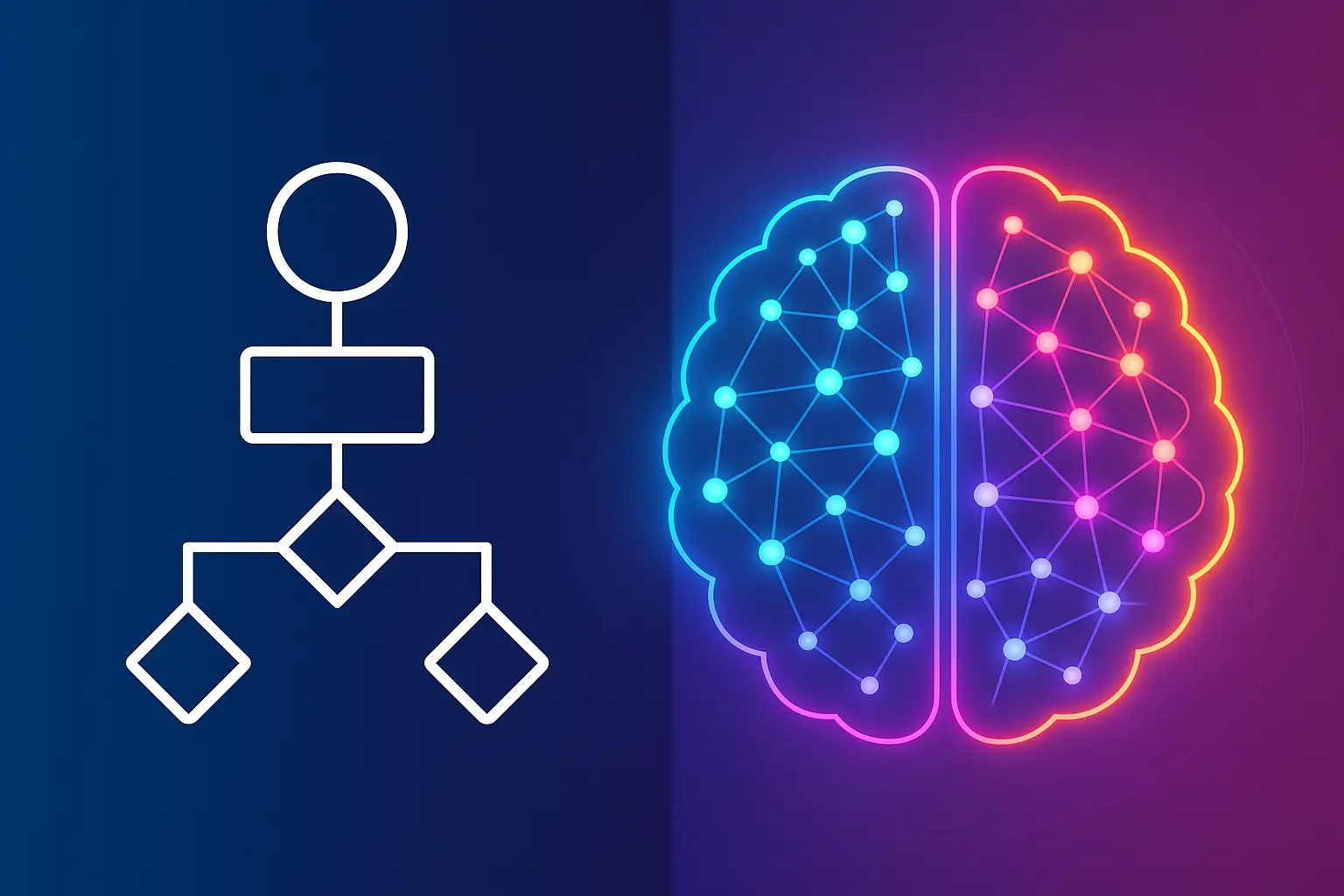
ChatBot or Conversational AI: Which One is Best for Your Software?
When we talk about automated customer interactions today, you'll often hear terms like "chatbot" and "conversational AI" thrown around interchangeably. But here's the thing – they're not the same, and choosing the wrong one for your software could cost you both money and customers. If you're building software or looking to enhance your existing platform with automated communication features, understanding these differences isn't just helpful – it's essential for your success. Understanding the Fundamental Differences Let's start with the basics. A chatbot is essentially a software program designed to simulate conversations with users through text or voice interactions. Think of it as a digital assistant that follows predetermined rules and scripts to respond to specific keywords or phrases. These traditional chatbots operate like a sophisticated FAQ system – they can handle straightforward questions but struggle when conversations become complex or unpredictable. Conversational AI, on the other hand, represents a more sophisticated approach. It uses advanced technologies like natural language processing (NLP), machine learning (ML), and deep learning to create human-like interactions. Unlike chatbots that follow rigid scripts, conversational AI can understand context, learn from interactions, and adapt its responses based on the conversation flow. The key distinction lies in their capabilities. While chatbots excel at handling routine, predictable interactions, conversational AI can manage complex, multi-turn conversations while maintaining context throughout the entire interaction. This makes conversational AI particularly valuable for software applications that require nuanced understanding and personalized responses. Breaking Down the Technical Architecture Traditional Chatbots: Rule-Based Systems Traditional chatbots operate on predetermined decision trees and keyword recognition systems. When a user asks a question, the chatbot scans for specific keywords and matches them to pre-programmed responses. This approach works well for simple, frequently asked questions but breaks down when users phrase questions differently or ask something outside the bot's programmed scope. For software developers, implementing a traditional chatbot is relatively straightforward. You define the conversation flows, create response templates, and establish rules for different scenarios. The development process typically involves mapping out all possible user inputs and creating appropriate responses. This makes chatbots cost-effective and quick to deploy, with basic implementations starting around $30-$150 per month for small businesses. Conversational AI: Intelligent Response Systems Conversational AI systems are built differently. They use natural language processing to understand user intent rather than just matching keywords. Machine learning algorithms analyze past conversations to improve responses over time, while contextual awareness allows the system to remember previous interactions and maintain conversation continuity. The technical architecture involves multiple layers: intent recognition, entity extraction, dialogue management, and response generation. Each layer works together to create more natural, human-like interactions. This complexity means higher development costs – typically ranging from $20,000 to $150,000 for custom implementations – but the investment often pays off through improved user satisfaction and reduced support costs. Real-World Applications in Software When Chatbots Make Sense? Traditional chatbots work exceptionally well in software applications with predictable user interactions. They're perfect for handling login assistance, password resets, basic account inquiries, and guiding users through simple processes. For example, if you're building an e-commerce platform, a chatbot can efficiently handle order status inquiries, return requests, and basic product information. The beauty of chatbots lies in their simplicity and reliability. They provide consistent responses, work 24/7, and can handle multiple users simultaneously without degrading performance. This makes them ideal for software applications where user queries follow predictable patterns. Where Conversational AI Excels? Conversational AI shines in software applications requiring sophisticated user interactions. It's particularly valuable in applications like customer support platforms, virtual assistants, and complex workflow management systems. The technology can understand user intent even when questions are phrased differently, maintain context across multiple interactions, and provide personalized responses based on user history. Consider a project management software with conversational AI integration. Users can ask complex questions like "Show me all overdue tasks assigned to my team that are blocking other projects," and the AI can understand the intent, extract relevant entities (overdue tasks, team members, blocking relationships), and provide intelligent responses. Cost Considerations and ROI Analysis Initial Investment Breakdown The cost difference between chatbots and conversational AI is significant. Basic chatbot implementations can cost as little as $2,000-$10,000 for custom builds, while conversational AI projects typically start at $20,000 and can exceed $500,000 for enterprise-level implementations. However, these upfront costs need to be evaluated against potential returns. Research shows that chatbots can save businesses an average of $300,000 per year and reduce overall support costs by 30%. Conversational AI systems, while more expensive initially, often deliver higher ROI through improved customer satisfaction, increased sales conversions, and reduced operational overhead. Long-term Value Proposition The ROI calculation extends beyond immediate cost savings. Chatbots typically handle 5,000-10,000 customer interactions monthly, with each interaction costing approximately $1-$2 compared to $6-$14 for human-handled interactions. Conversational AI systems can handle more complex interactions, potentially deflecting even higher-value support tickets and enabling human agents to focus on strategic tasks. For software companies, the value proposition often includes improved user retention, higher feature adoption, and reduced churn rates. Users who receive better support through intelligent automation are more likely to remain loyal to the platform. Implementation Strategies for Different Business Sizes Small to Medium Businesses For smaller software companies, starting with a well-designed chatbot often makes strategic sense. The lower investment barrier allows you to test automated customer interactions without significant financial risk. You can begin with handling common user questions, basic troubleshooting, and simple task automation. The key is designing conversation flows that anticipate your most common user needs. Start by analyzing your support tickets to identify repetitive questions, then build chatbot responses for these scenarios. This approach can reduce support workload by 30-50% while maintaining user satisfaction. Enterprise Applications Larger software companies with complex user bases often benefit more from conversational AI implementations. The higher upfront investment is justified by the system's ability to handle sophisticated user interactions, integrate with multiple business systems, and provide personalized experiences at scale. Enterprise conversational AI can integrate with CRM systems, databases, and other business applications to provide contextual, data-driven responses. This integration capability makes it valuable for software platforms with complex user workflows and diverse use cases. Technical Integration Considerations API Integration and System Architecture Both chatbots and conversational AI require careful integration planning. Modern software architectures typically involve multiple microservices, APIs, and data sources. Your automated communication system needs to access relevant user data, product information, and business logic to provide meaningful responses. For chatbots, integration is usually simpler – you define specific API endpoints for different functions and map them to conversation triggers. Conversational AI requires more sophisticated integration patterns, often involving real-time data access, dynamic query generation, and complex business logic execution. Security and Privacy Considerations When implementing either solution, security becomes paramount, especially when handling sensitive user data. Both systems require secure data transmission, user authentication, and compliance with privacy regulations like GDPR or CCPA. Conversational AI systems, given their learning capabilities, require additional consideration around data retention, model training, and bias prevention. You'll need to establish clear policies about what data the system can access and how it uses that information to improve responses. Performance Metrics and Success Measurement Key Performance Indicators Success measurement differs between chatbots and conversational AI. For chatbots, focus on metrics like containment rate (percentage of issues resolved without human intervention), response accuracy, and user satisfaction scores. These systems typically achieve 70-80% containment rates for well-defined use cases. Conversational AI requires more nuanced measurement. Beyond basic metrics, monitor context retention accuracy, multi-turn conversation success rates, and learning effectiveness over time. The best systems show improving performance as they process more interactions. User Experience Impact Both solutions can significantly impact user experience, but in different ways. Chatbots provide consistent, fast responses that work well for straightforward interactions. Users appreciate the immediate availability and predictable responses for common questions. Conversational AI creates more natural, engaging interactions that feel closer to human conversation. Users report higher satisfaction rates with conversational AI systems, particularly for complex or sensitive issues. However, poorly implemented conversational AI can frustrate users more than a simple chatbot that clearly communicates its limitations. Future-Proofing Your Choice Technology Evolution Trends The line between chatbots and conversational AI continues to blur as technology advances. Modern chatbot platforms increasingly incorporate AI features, while conversational AI becomes more accessible through cloud-based services. This convergence means today's implementation choice doesn't permanently lock you into one approach. Consider choosing platforms that offer upgrade paths from rule-based chatbots to AI-powered systems. This allows you to start simple and evolve your capabilities as your needs grow and your budget expands. Scalability Planning Think about your software's growth trajectory when making this decision. A simple chatbot might handle your current user base effectively, but will it scale as your user count multiplies? Conversational AI systems typically scale more gracefully, handling increased complexity and user volume without degrading performance. Plan for seasonal variations, product launches, and feature releases that might temporarily increase support volume. Your automated system should handle these spikes without requiring significant manual intervention. Making the Right Choice for Your Software The decision between chatbots and conversational AI ultimately depends on your specific use case, budget, and long-term goals. If your software has predictable user interactions, limited budget, and straightforward support needs, a well-designed chatbot can deliver excellent results. Choose conversational AI when your software involves complex user workflows, requires personalized interactions, or serves diverse user bases with varying needs. The higher investment often pays dividends through improved user satisfaction, reduced support costs, and enhanced competitive positioning. Remember that this isn't necessarily a permanent choice. Many successful software companies start with chatbots and evolve to conversational AI as their needs grow and their understanding of user interactions deepens. The key is choosing a solution that solves your immediate needs while providing a path for future enhancement. Your software users deserve intelligent, helpful automated interactions. Whether you achieve that through a thoughtfully designed chatbot or sophisticated conversational AI depends on your specific circumstances. But with the right choice and implementation, either technology can significantly enhance your software's value proposition and user satisfaction. Both technologies will continue evolving, making automated interactions more natural and effective. The companies that succeed will be those that choose the right tool for their current needs while remaining flexible enough to adapt as technology advances and user expectations continue to rise.
How Long Does it Take to Develop an App and Why? A Complete Guide to App Development Timelines
The digital revolution has fundamentally transformed how businesses operate, and mobile applications have emerged as the cornerstone of this transformation. In today's hyperconnected world, where 88% of mobile time is spent on apps and mobile apps generated over $935 billion in revenue in 2024, understanding the intricacies of app development timelines has become crucial for businesses looking to establish their digital presence. The mobile app market is experiencing unprecedented growth, with the global market projected to reach $753.34 billion by 2033, growing at a CAGR of 12.1%. This explosive growth has intensified the demand for high-quality applications, making the question "How long does it take to develop an app?" more relevant than ever. The answer isn't straightforward – app development timelines typically range from 2-4 months for simple applications to 12+ months for complex enterprise solutions. However, this variance stems from a multitude of interconnected factors that we'll explore in detail throughout this comprehensive guide. Understanding the Mobile App Development Lifecycle The mobile app development process follows a structured approach known as the Software Development Life Cycle (SDLC), which consists of seven distinct phases that collectively determine the overall timeline. Phase 1: Planning and Requirements Analysis (1-4 weeks) The foundation of any successful app lies in thorough planning. During this phase, requirement analysis and planning take 1-4 weeks, depending on the complexity of your idea. This stage involves: Market Research and Validation: Understanding target audience needs and competitive landscape Feature Prioritization: Defining core functionalities and user stories Technical Feasibility Assessment: Evaluating technology stack options and architectural decisions Resource Allocation: Determining team structure and budget requirements Simple apps typically require 1-2 weeks of planning, while complex applications may need 3-4 weeks to properly define requirements and establish project scope. Phase 2: UI/UX Design and Prototyping (3-8 weeks) The design phase transforms abstract concepts into tangible user interfaces. The UI/UX planning stage takes 3-8 weeks, depending on the complexity of the mobile app. This phase encompasses: Wireframing: Creating basic structural blueprints of app screens Prototyping: Developing interactive models for user testing Visual Design: Crafting the aesthetic elements and brand identity User Experience Optimization: Ensuring intuitive navigation and accessibility The design complexity significantly impacts timeline duration. Well-designed UI and UX require knowledge, experience, and time to create, as they involve determining user demands, creating wireframes and prototypes, testing with users, and iteratively improving the design. Phase 3: Development and Implementation (5-24+ weeks) The development phase represents the most time-intensive portion of the project. App development takes 5-8 weeks for simple apps, 8-14 weeks for medium complexity apps, and 14-24+ weeks for complex applications. Frontend Development involves creating the user interface and ensuring responsive design across multiple devices and screen sizes. Backend Development includes setting up servers, databases, and APIs, which may last 5 to 10 weeks depending on functionality complexity. Modern development approaches significantly impact timeline efficiency: Native Development: Offers optimal performance but requires separate development for iOS and Android platforms Cross-Platform Development: Cross-platform app development typically takes 4 to 9 months, using technologies like React Native and Flutter to share code across platforms Progressive Web Apps: Faster development but with limited native device integration Phase 4: Testing and Quality Assurance (2-6+ weeks) Quality assurance ensures application reliability and performance across various scenarios. Quality Assurance & Testing takes 2-3 weeks for simple apps, 3-5 weeks for medium apps, and 4-6+ weeks for complex applications. Testing encompasses multiple dimensions: Functional Testing: Verifying feature functionality and user flows Performance Testing: Ensuring optimal loading speeds and resource utilization Security Testing: Protecting against vulnerabilities and data breaches Compatibility Testing: Confirming operation across different devices and operating system versions Phase 5: Deployment and Launch (1-4 weeks) The deployment phase involves preparing the application for public release. Deployment & Integration takes 1-2 weeks for simple apps, 2-3 weeks for medium apps, and 3-4 weeks for complex applications. This phase includes: App Store Preparation: Creating store listings, screenshots, and descriptions Submission Process: Android Market approval time is relatively quick, taking around 1 to 3 days, while iOS App Store approval can take anywhere from 1 to 2 weeks Backend Infrastructure Setup: Configuring production servers and monitoring systems Launch Strategy Implementation: Coordinating marketing and user acquisition efforts Phase 6: Post-Launch Maintenance (Ongoing) App development doesn't conclude at launch. Post-launch Support & Maintenance is ongoing and typically costs 25% of the total app cost per year. This phase involves: Bug Fixes and Updates: Addressing issues discovered post-launch Feature Enhancements: Adding new functionalities based on user feedback Security Patches: Maintaining protection against emerging threats Performance Optimization: Ensuring continued optimal operation App Complexity: Your Primary Timeline Determinant App complexity serves as the most significant factor influencing development duration. Understanding these complexity levels helps establish realistic timeline expectations. Simple Apps (2-4 months) Simple app development typically takes between 1 to 3 months. These applications feature: Basic functionality with limited features Standard UI components without custom animations Local data storage without cloud synchronization Minimal third-party integrations Examples include calculators, note-taking apps, or basic utility applications. Building a simple app with limited functionalities normally takes 2 to 4 months. Medium Complexity Apps (4-7 months) Moderate complexity app development typically takes between 4 to 6 months. These applications incorporate: User authentication and profile management API integrations with external services Payment gateway implementation Social media connectivity Push notifications and basic analytics Examples include e-commerce platforms, fitness trackers, or local business directories. Complex Apps (9-12+ months) Complex app development generally takes between 9 to 12 months or longer. These applications feature: Real-time data processing and synchronization Advanced security protocols and compliance requirements AI and machine learning integration Geolocation services and mapping functionality Video streaming or advanced multimedia capabilities Enterprise-level scalability and performance requirements Examples include ride-sharing platforms, social media networks, or enterprise software solutions. Technology Stack Impact on Development Speed The choice of technology stack significantly influences both development speed and long-term maintainability. The choice of technology stack can significantly impact development speed and efficiency. Frontend Technologies JavaScript dominates the development landscape, with 65.82% of professional developers utilizing it. Popular frontend frameworks include: React Native: Enables cross-platform development with 40% faster delivery than industry average Flutter: Google's UI toolkit offering single codebase deployment across multiple platforms Native Development: Swift for iOS and Kotlin for Android, providing optimal performance but requiring platform-specific expertise Backend Infrastructure Backend architecture choices impact scalability and development timeline: Cloud Platforms: AWS asserts dominance as the most sought-after cloud platform, capturing 40.35% interest from developers Database Selection: Influences data retrieval performance and scalability potential API Architecture: RESTful vs GraphQL considerations affect development complexity Low-Code/No-Code Solutions Emerging development approaches offer accelerated timelines for specific use cases: Rapid Prototyping: Enabling MVP development in weeks rather than months Limited Customization: Trade-off between speed and flexibility Ideal for MVPs: Testing market viability before full-scale development Factors That Extend Development Timelines Several critical factors can significantly extend app development timelines beyond initial estimates. Mid-Project Scope Changes Mid-project changes represent one of the most common timeline disruptors. The process will get slower if there are sudden changes in the plan in the middle. These changes can: Affect app performance due to modifications in existing codebase Require rework of completed development phases Impact testing cycles and quality assurance processes Increase overall project costs through extended development hours Team Expertise and Experience Development team capabilities directly correlate with project efficiency. Inexperienced developers often result in slowing down the process and poor output. Factors include: Technology Stack Familiarity: Teams experienced with chosen technologies work more efficiently Industry Knowledge: Understanding specific sector requirements and compliance needs Communication Skills: Effective collaboration reduces misunderstandings and rework Problem-Solving Abilities: Experienced teams resolve technical challenges faster Technical Complexity and Integration Challenges Complex technical requirements can significantly extend timelines through: Third-party API Integration: External service dependencies and rate limitations Legacy System Integration: Compatibility challenges with existing infrastructure Scalability Considerations: Architectural decisions impacting future growth Security Implementation: Advanced security measures requiring specialized expertise Regulatory and Compliance Requirements Industry-specific applications face additional timeline considerations: Healthcare Applications: HIPAA compliance and medical device regulations extending timelines to 32+ weeks Financial Services: Banking regulations and security standards Enterprise Applications: Corporate compliance and security protocols International Markets: Localization and regional legal requirements Industry-Specific Development Timelines Different industries present unique challenges that impact development duration and complexity. Healthcare Applications Medical applications require extensive regulatory compliance and security measures. Developing a medical application is a meticulous process due to regulatory requirements and data security considerations. Timeline breakdown: Conceptualization: 2 weeks for core feature definition User-Centric Design: 4 weeks including user testing and regulatory considerations Development: 20 weeks encompassing frontend, backend, and compliance integration Quality Assurance: 4 weeks of rigorous testing including regulatory validation Deployment: 2 weeks ensuring compliance with regulatory standards Total Timeframe: 32+ weeks E-commerce Applications Online shopping applications focus heavily on user experience and transaction security. Development phase takes 16 weeks for e-commerce applications, with timeline considerations including: Payment Gateway Integration: Secure transaction processing implementation Inventory Management: Real-time stock tracking and management systems User Experience Optimization: Conversion-focused design and functionality Security Implementation: Protection against fraud and data breaches Total Timeframe: 28+ weeks Food Delivery Applications Food delivery apps coordinate complex logistics between restaurants, drivers, and customers: Real-time Tracking: GPS integration and route optimization Restaurant Partnerships: Integration with multiple food service providers Payment Processing: Multiple payment method support User Interface Design: Intuitive ordering and tracking experience Development Duration: 14 weeks for core functionality Total Timeframe: 26+ weeks Strategies to Optimize Development Speed While maintaining quality standards, several strategies can optimize development timelines without compromising application performance. Agile Development Methodology Agile methodologies often allow for quicker iteration and adaptation, resulting in faster development. Benefits include: Iterative Development Cycles: Regular feedback incorporation and course correction Continuous Integration: Early bug detection and resolution Stakeholder Engagement: Regular communication reducing late-stage changes Risk Mitigation: Early identification of technical challenges MVP (Minimum Viable Product) Approach Focusing on core functionality enables faster time-to-market: Feature Prioritization: Identifying essential features for initial release User Feedback Integration: Real-world testing informing future development Reduced Initial Investment: Lower financial risk for concept validation Iterative Enhancement: Gradual feature addition based on user needs Cross-Platform Development Cross-platform frameworks like Flutter can reduce development time by enabling code sharing between iOS and Android platforms. Advantages include: Single Codebase: Reduced development and maintenance overhead Consistent User Experience: Uniform functionality across platforms Faster Updates: Simultaneous deployment to multiple platforms Cost Efficiency: Lower development resource requirements Pre-built Components and APIs Leveraging existing solutions accelerates development: Third-party APIs: Payment processing, authentication, and analytics services UI Component Libraries: Pre-designed interface elements reducing design time Backend-as-a-Service: Cloud infrastructure reducing backend development complexity Template Systems: Starting points for common application types The Financial Landscape of App Development Understanding development costs provides context for timeline decisions and resource allocation. Global Cost Variations App development costs vary significantly across global markets: United States: $50,000-$500,000+ for similar applications India: $10,000-$150,000 providing significantly lower costs Eastern Europe: Moderate pricing with high technical expertise Southeast Asia: Competitive rates with growing technical capabilities Cost-Timeline Relationship Development Hours × Developer's Hourly Rate = Total Cost. This formula demonstrates the direct relationship between timeline optimization and project costs: Faster Development: Often requires more experienced (expensive) developers Extended Timelines: May reduce hourly costs but increase total investment Quality Considerations: Rushed development may result in higher long-term maintenance costs Investment Categories The cost to develop a mobile app in 2025 ranges from $40,000 to $400,000+, depending on complexity and features: Basic Applications: $40,000-$100,000 (3-6 months) Moderate Applications: $100,000-$200,000 (6-9 months) Advanced Applications: $200,000-$400,000 (9-12 months) Enterprise Solutions: $400,000+ (12-18+ months) Current Market Trends and Future Outlook The mobile app development landscape continues evolving with emerging technologies and changing user expectations. Market Growth Projections The mobile app market demonstrates robust growth potential: 2024 Market Value: $269.49 billion 2025 Projection: $302.1 billion 2033 Forecast: $753.34 billion CAGR Growth Rate: 12.1% during 2025-2033 Emerging Technology Integration Future app development will increasingly incorporate: Artificial Intelligence: AI chatbot apps showed 112% YoY growth Internet of Things: IoT market reached $318 billion in 2023 Augmented Reality: Enhanced user experiences across multiple industries Machine Learning: Personalization and predictive analytics capabilities Development Methodology Evolution Modern development approaches continue advancing: DevOps Integration: Continuous integration and deployment practices Microservices Architecture: Scalable and maintainable application design Cloud-Native Development: Leveraging cloud infrastructure for optimal performance Security-First Approach: Integrated security throughout development lifecycle Best Practices for Timeline Management Successful app development requires strategic timeline management and stakeholder alignment. Clear Requirements Documentation Thorough requirement documentation prevents scope creep and timeline extensions: Functional Specifications: Detailed feature descriptions and user stories Technical Requirements: Infrastructure and integration specifications Acceptance Criteria: Clear success metrics for each development phase Change Management Process: Procedures for handling requirement modifications Regular Communication and Reviews Frequent stakeholder meetings ensure transparent communication and timely adjustments: Weekly Progress Reviews: Regular status updates and obstacle identification Milestone Celebrations: Recognition of completed phases and achievements Risk Assessment Sessions: Proactive identification and mitigation strategies Feedback Integration: Continuous improvement based on stakeholder input Quality Assurance Integration Early testing and iterative development allow for continuous improvements: Test-Driven Development: Writing tests before implementation Automated Testing Suites: Continuous quality validation User Acceptance Testing: End-user validation of functionality Performance Monitoring: Ongoing optimization and improvement Conclusion: Understanding app development timelines requires recognizing the intricate balance between complexity, quality, and speed. While simple applications can be developed in 2-4 months, complex enterprise solutions may require 12+ months of dedicated development effort. The key factors determining timeline duration include: Application complexity and feature requirements Technology stack selection and team expertise Design sophistication and user experience expectations Integration complexity with external systems and services Quality assurance standards and testing requirements Regulatory compliance and industry-specific needs Success in app development comes from realistic timeline estimation, clear communication among stakeholders, and flexibility to adapt to evolving requirements. As the mobile app market continues its explosive growth, understanding these timeline dynamics becomes crucial for businesses looking to establish successful digital products. The investment in proper planning, experienced development teams, and quality assurance processes ultimately determines not just the development timeline, but the long-term success and maintainability of mobile applications in an increasingly competitive marketplace. By embracing modern development methodologies, leveraging appropriate technology stacks, and maintaining focus on user needs, businesses can optimize their development timelines while creating applications that deliver exceptional value to their target audiences.
2025's Top Network Security Solutions: Your Comparative Guide
The cybersecurity landscape has transformed dramatically as organizations worldwide embrace digital transformation and remote work models. With the global network security market projected to reach $27.19 billion in 2025 and growing at a compound annual growth rate of 8.02%, choosing the right security solution for your business has never been more critical. Whether you're a tech-savvy CISO or a business leader looking to strengthen your organization's defenses, understanding the differences between today's leading security approaches—SASE, NGFW, and XDR—is essential for making informed decisions that protect your digital assets. Understanding the Three Pillars of Modern Network Security SASE: The Cloud-Native Security Revolution Secure Access Service Edge (SASE) represents a paradigm shift in how we approach network security. By combining networking and security services into a single, cloud-delivered platform, SASE addresses the challenges of our increasingly distributed work environment. What makes SASE unique? SASE integrates five core components: SD-WAN for optimized connectivity, Zero Trust Network Access (ZTNA) for secure remote access, Secure Web Gateway (SWG) for web protection, Cloud Access Security Broker (CASB) for cloud app security, and Firewall as a Service (FWaaS) for network protection. This unified approach eliminates the complexity of managing multiple point solutions while providing consistent security policies regardless of user location. Who should consider SASE? Organizations with distributed workforces, multiple branch offices, or those embracing cloud-first strategies will find SASE particularly valuable. It's especially effective for companies where traditional network perimeters have dissolved due to remote work and cloud adoption. NGFW: The Evolution of Perimeter Defense Next-Generation Firewalls (NGFWs) have evolved far beyond their traditional packet-filtering predecessors. Modern NGFWs operate across multiple layers of the network stack, providing deep packet inspection, application awareness, intrusion prevention, and integrated threat intelligence. What sets NGFWs apart? Unlike traditional firewalls that only examine ports and protocols, NGFWs can identify specific applications and users, apply granular security policies, and detect sophisticated threats using advanced analytics and machine learning. They serve as intelligent gatekeepers that can distinguish between legitimate business traffic and potential security threats. When does NGFW make sense? NGFWs excel in scenarios where you need robust perimeter defense, network segmentation, and granular application control. They're particularly valuable for data centers, campus networks, and organizations with well-defined network boundaries. XDR: The Unified Threat Response Platform Extended Detection and Response (XDR) breaks down the silos between different security tools by collecting and correlating data from endpoints, networks, cloud environments, email systems, and identity platforms. This holistic approach provides security teams with a comprehensive view of threats across their entire IT infrastructure. What makes XDR powerful? XDR's strength lies in its ability to connect the dots between seemingly isolated security events. By using AI and machine learning to analyze vast amounts of security telemetry, XDR can detect sophisticated, multi-stage attacks that might otherwise go unnoticed. It significantly reduces the Mean Time to Detect (MTTD) and Mean Time to Respond (MTTR) to security incidents. Who benefits most from XDR? Organizations facing sophisticated threats, those with limited security staff, or businesses that have struggled with alert fatigue from multiple security tools will find XDR's unified approach particularly valuable. Market Leaders and Their Competitive Advantages SASE Market Leaders Palo Alto Networks continues to dominate the SASE landscape, maintaining its leadership position for three consecutive years in Gartner's Magic Quadrant. Their Prisma SASE platform combines industry-leading security capabilities with global network infrastructure, making it ideal for large enterprises with complex security requirements. Fortinet has ascended to the leaders' quadrant in 2025, leveraging competitive pricing and strong SD-WAN integration. With annual recurring revenue of $1.15 billion in their SASE business, Fortinet offers excellent value for organizations seeking integrated security and networking. Netskope and Cato Networks round out the leaders' quadrant, each bringing unique strengths. Netskope excels in cloud security and data protection, while Cato Networks pioneered the single-vendor SASE approach with their cloud-native architecture. NGFW Market Champions Palo Alto Networks leads the NGFW market with comprehensive threat prevention capabilities and seamless integration with their broader security ecosystem. Their solutions excel in high-throughput environments and provide industry-leading threat detection accuracy. Fortinet's FortiGate series stands out for its performance-to-cost ratio and ASIC-based acceleration technology. With over 50% global market share, FortiGate NGFWs offer scalable solutions from small businesses to large enterprises. Check Point Software maintains its position as a trusted leader with 22 years of Gartner recognition, focusing on proven threat prevention and low false positive rates. Their solutions excel in highly regulated industries requiring consistent security maturity. Cisco's Secure Firewall (formerly Firepower) provides strong integration with existing Cisco infrastructure, making it an attractive choice for organizations already invested in Cisco's networking ecosystem. XDR Industry Leaders CrowdStrike Falcon XDR leads the market with its cloud-native architecture and comprehensive threat intelligence capabilities. Their platform integrates with hundreds of third-party security tools and offers managed threat hunting services. Palo Alto Networks Cortex XDR leverages advanced analytics and machine learning for behavioral threat detection. Their platform excels in providing comprehensive attack timelines and automated response capabilities. Microsoft Defender XDR offers strong integration with Microsoft's ecosystem, making it attractive for organizations heavily invested in Microsoft technologies. Their pricing model often provides excellent value for existing Microsoft customers. SentinelOne Singularity XDR stands out for its autonomous detection and response capabilities, using AI to identify and contain threats without human intervention. Pricing Models and Deployment Considerations SASE Pricing Strategies SASE pricing varies significantly across providers, with per-user models being the most common approach. Organizations typically see pricing ranging from $20-100 per user per month, depending on the security features and bandwidth requirements. Cato Networks offers location-based pricing starting around $2,000 per month per site for two gigabits of throughput, with SASE security features adding approximately 20% to the total cost. Fortinet's SASE solution provides competitive pricing with simplified licensing, making it attractive for cost-conscious organizations. NGFW Cost Structures NGFW pricing typically follows a pay-as-you-go or credit-based model. Palo Alto Networks Cloud NGFW charges $1.50 per hour for deployment plus $0.065 per GB for the first 15TB of traffic. Google Cloud NGFW Enterprise offers similar pricing at $1.75 per hour with $0.018 per GB processing costs. Traditional on-premises NGFWs often require significant upfront hardware investments but may offer lower operational costs for high-traffic environments. XDR Investment Models XDR solutions typically range from $5-50 per endpoint per month, with enterprise packages offering volume discounts. CrowdStrike Falcon Enterprise is priced at $184.99 per device annually, while Trend Micro starts at $29.95 per user per year. Microsoft 365 Defender often provides the most cost-effective option for organizations already using Microsoft ecosystems, with prices starting at $20 per user per month. Deployment Models: Finding Your Perfect Fit Cloud vs. On-Premises vs. Hybrid Cloud deployment offers the fastest implementation and lowest upfront costs, making it ideal for organizations with distributed workforces or limited IT infrastructure. SASE solutions are inherently cloud-native, providing global coverage through strategically located Points of Presence. On-premises deployment provides maximum control and may be required for highly regulated industries or organizations with strict data sovereignty requirements. NGFWs excel in this model, offering robust performance for data centers and campus networks. Hybrid deployment combines the benefits of both approaches, allowing organizations to maintain on-premises control for sensitive workloads while leveraging cloud scalability for other services. This model works particularly well for XDR solutions, which can collect data from both environments. Considerations for Different Organization Sizes Small to Medium Businesses often benefit most from cloud-based SASE solutions due to their lower complexity and reduced management overhead. These organizations typically lack the resources to manage complex on-premises security infrastructure. Large Enterprises have more flexibility in choosing deployment models and often benefit from hybrid approaches that combine on-premises NGFWs for data centers with cloud-based SASE for remote users. Global Organizations find SASE particularly valuable due to its ability to provide consistent security policies across multiple regions and jurisdictions. Making Your Decision: Key Factors to Consider Organizational Readiness Assessment Before selecting a solution, evaluate your organization's current security maturity, available resources, and technical expertise. XDR solutions require mature security operations teams to fully leverage their capabilities, while SASE may be more suitable for organizations with limited security staff. Consider your existing technology investments and integration requirements. Organizations heavily invested in specific vendor ecosystems may find integrated solutions more cost-effective and easier to manage. Future-Proofing Your Investment The cybersecurity landscape continues to evolve rapidly. Look for solutions that offer AI-driven capabilities, API integration for future tools, and flexible licensing models that can adapt to changing requirements. Consider the vendor's innovation track record and investment in research and development. Market leaders like Palo Alto Networks, Fortinet, and CrowdStrike consistently invest in emerging technologies and threat research. Compliance and Regulatory Requirements Different industries have varying compliance requirements that may influence your choice. Healthcare and financial services organizations often require specific certifications and audit capabilities that are better supported by enterprise-grade solutions. Ensure your chosen solution can provide the necessary logging, reporting, and compliance features required by your industry regulations. The Path Forward: Best Practices for Implementation Start with a Risk Assessment Conduct a comprehensive risk assessment to understand your organization's unique threat landscape and security gaps. This assessment should consider your data types, user behavior patterns, application portfolio, and existing security controls. Pilot Before Full Deployment Implement a pilot program with a subset of users or applications to validate the solution's effectiveness in your environment. This approach allows you to identify configuration issues, user experience challenges, and integration requirements before full-scale deployment. Invest in Training and Change Management Security solutions are only as effective as the people using them. Invest in comprehensive training programs for both IT staff and end-users to ensure successful adoption and maximize the solution's value. Monitor and Optimize Continuously Network security is not a set-and-forget proposition. Establish continuous monitoring processes, regularly review security policies, and stay informed about emerging threats and best practices. As we navigate the complex cybersecurity landscape of 2025, the choice between SASE, NGFW, and XDR solutions ultimately depends on your organization's unique requirements, existing infrastructure, and strategic objectives. SASE excels for distributed, cloud-first organizations; NGFW provides robust perimeter defense for traditional network architectures; and XDR offers comprehensive threat response for security-mature organizations. Conclusion The most successful cybersecurity strategies often combine multiple approaches, leveraging each solution's strengths to create a comprehensive defense posture. By understanding the capabilities, costs, and deployment considerations of each option, you can make informed decisions that protect your organization while enabling business growth and innovation. Remember that the best security solution is one that your organization can effectively implement, manage, and maintain. Consider starting with the approach that aligns most closely with your current capabilities and evolving toward a more comprehensive strategy as your security maturity grows.
How to Build Your Custom Software and Raise Funding
73% of custom software projects fail, yet the global software development market is projected to reach $896 billion by 2029. This stark contrast reveals a brutal truth—while the opportunities are massive, the execution landscape is littered with broken dreams and depleted bank accounts. But here's what separates the winners from the casualties: understanding both the technical intricacies of building software and the strategic nuances of securing funding. This isn't just about code and capital—it's about orchestrating a symphony where technology meets investment, where product-market fit dances with investor appetite. Why Custom Software Matters More Than Ever The numbers don't lie. Enterprise software investment reached $155 billion globally in 2024, accounting for 42% of all VC funding—the highest share on record. Companies that adopt custom software solutions see an average 35% improvement in operational efficiency and a 20% increase in revenue. Yet here's the paradox: while 90% of businesses will be cloud-based in 2025, most founders stumble at the starting line. They either build technically sound products that nobody wants, or create market-perfect solutions that crumble under technical debt. The Step-by-Step Playbook: From Concept to Capital Phase 1: Discovery and Foundation (Weeks 1-4) The Reality CheckBefore writing a single line of code, you need brutal honesty. 42% of startups collapse due to misreading market demand—creating products nobody wants or needs. Your discovery phase isn't just market research; it's survival insurance. The Process: Market Validation: Interview 50+ potential users. If you can't find 50 people willing to talk about your problem, you don't have a market. Competitive Analysis: Map out existing solutions, their weaknesses, and pricing models. Technical Feasibility Study: Assess technical limitations, estimated costs ($30,000 to $500,000+), and development timelines. Pro Tip: Document everything in a Software Requirements Specification (SRS) document. This becomes your north star and investor confidence booster. Phase 2: MVP Development (Weeks 5-16) Why MVP Strategy WinsThe most successful startups follow the build-measure-learn cycle. An MVP costs $40,000-$300,000 and takes 2-8 months to develop—but it's your ticket to real user feedback and early investor interest. The Technical Architecture: Core Features Only: Focus on the minimum viable aspect. If it doesn't directly solve your core problem, cut it. Scalable Foundation: Use proven tech stacks. JavaScript remains the most popular programming language globally at 65.82%. User-Centric Design: Even MVPs need intuitive interfaces. User experience directly impacts adoption rates. Development Approach Options: Approach Timeline Cost Range Best For In-house Team 4-8 months $200,000-$500,000 Complex, strategic products Offshore Development 3-6 months $60,000-$200,000 Cost-conscious startups Hybrid Model 3-7 months $120,000-$350,000 Balanced control and cost Phase 3: Team Assembly and Methodology Building Your Dream TeamYour software is only as strong as the team behind it. Here's the optimal team structure: Core Team (4-6 people): Product Owner: Vision keeper and stakeholder bridge Tech Lead/Software Architect: Technical decision maker 2-3 Full-Stack Developers: Code craftsmen QA Engineer: Quality guardian UI/UX Designer: User experience champion Agile Development: Your Competitive Advantage85% of software projects using Agile methodologies report higher success rates. The benefits are measurable: 43% faster delivery times 65% improvement in team productivity Reduced project risks through iterative feedback The Sprint Structure: 2-week sprints for maximum flexibility Daily standups for transparency Sprint retrospectives for continuous improvement Phase 4: The Funding Blueprint Understanding the Numbers GameHere's the harsh reality: Only 1% of pitch decks succeed in acquiring funds. Angel investors fund around 1 out of every 400 pitches. But don't let this discourage you—let it guide your strategy. Pre-Funding Checklist:✓ Working MVP with real user traction✓ Clear value proposition backed by data✓ Revenue model or path to profitability✓ Market size validation ($1B+ addressable market)✓ Stellar team with relevant experience Funding Landscape 2025: Average Series A funding: $15 million Software companies dominate: 45% of VC funding AI integration attracts $40 billion annually Phase 5: Pitch Deck Mastery The 10-15 Slide RuleDecks with 11-20 slides have 43% more chances of securing funds. Investors spend only 3 minutes and 44 seconds on a pitch deck—every slide must count. Winning Deck Structure: Problem (Make it personal and painful) Solution (Your unique approach) Market Opportunity (Size and growth) Product Demo (Show, don't tell) Business Model (How you make money) Traction (Proof of concept) Competition (Your unfair advantage) Team (Why you'll win) Financials (Growth projections) Funding Ask (Specific use of capital) The Secret Sauce: Less than 60% of successful pitch decks include a financials slide, but those that do must tell a compelling story with realistic projections. The Technology Decisions That Make or Break You Choosing Your Tech Stack Wisely Frontend Champions: React.js (39.5% developer preference) Vue.js for rapid development Angular for enterprise solutions Backend Powerhouses: Node.js (40.8% developer preference) Python for AI integration .NET for enterprise applications Database Decisions: PostgreSQL for complex queries MongoDB for flexible schemas Redis for caching and performance Development Methodologies That Scale Agile Wins the RaceCompanies using Agile report 70% project success rates compared to 39% with traditional waterfall methods. Key Agile Benefits: Continuous customer feedback integration Flexible scope management Risk mitigation through iterative delivery Higher team satisfaction and productivity Cost Optimization Strategies That Protect Your Runway Smart Development Approaches Offshore Development ROI: 40-70% cost reduction compared to local teams Access to global talent pool of skilled developers 24/7 development cycles across time zones Faster time-to-market through parallel development Cost Breakdown Reality Check: Development Type In-House Offshore Hybrid Simple Software $150,000-$300,000 $60,000-$120,000 $100,000-$200,000 Medium Complexity $300,000-$600,000 $120,000-$250,000 $200,000-$400,000 Complex Enterprise $600,000-$1,200,000 $250,000-$500,000 $400,000-$800,000 ROI Measurement Framework Quantitative Metrics to Track: Revenue Increase: Direct sales attribution Cost Savings: Automated processes and efficiency gains User Adoption Rates: Active users and engagement Customer Retention: Churn reduction and lifetime value Expected ROI Timeline: Year 1: Break-even or 20-50% ROI Year 2: 100-200% ROI for successful products Year 3+: 300%+ ROI for market leaders Common Pitfalls and How to Avoid Them Technical Disasters Feature Creep: 23% of failed projects suffer from uncontrolled scope expansion. Stick to your MVP roadmap religiously. Poor Architecture: 17% of startups fail due to poor product quality. Invest in solid architecture from day one—refactoring later costs 10x more. Security Neglect: With cybersecurity threats topping VC concerns in 2025, security can't be an afterthought. Funding Failures No Market Need: 42% of startup failures stem from building solutions nobody wants. Validate relentlessly. Wrong Team: 23% of failures are team-related. Hire slowly, fire quickly, and prioritize cultural fit alongside technical skills. Cash Management: 29% of startups run out of funding. Plan for 18-24 months of runway, not 12. The Success Formula: Case Study Framework Successful software startups follow this pattern: Identify a painful, specific problem affecting a sizeable market Build an MVP that delivers immediate value Gather user feedback and iterate rapidly Demonstrate traction with real metrics Pitch with confidence backed by data Scale systematically with proper architecture Timeline Expectations Months 1-3: Discovery and planning Months 4-8: MVP development and initial testing Months 9-12: User feedback integration and pitch preparation Months 13-15: Fundraising and team scaling Months 16-24: Product evolution and market expansion The Future-Proof Strategy Emerging Trends to Watch AI Integration: 83% of enterprises consider AI a strategic priority. Plan for AI capabilities from the start. Cloud-First Architecture: 95% of new digital workloads occur in the cloud. Build for scalability from day one. Low-Code Movement: 70% of new applications will use low-code technologies by 2025. Consider hybrid approaches for faster development. Your Action Plan: The Next 30 Days Week 1: Foundation Conduct 10 customer discovery interviews Complete competitive landscape analysis Define your unique value proposition Create initial SRS document Week 2: Technical Planning Choose your technology stack Design system architecture Estimate development costs and timeline Identify team composition needs Week 3: Team and Methodology Recruit core team members or partners Set up Agile development processes Establish communication protocols Create development roadmap Week 4: Funding Preparation Draft initial pitch deck Research target investors Prepare financial projections Begin MVP development Conclusion The software development market will reach $896 billion by 2029, but only 1% of startups will capture meaningful venture funding. The difference isn't just about having a great idea—it's about systematic execution of both technical development and funding strategy. Remember: successful startup founders spend an average of 18 hours perfecting their pitch, while enterprise software companies see 35% efficiency improvements from custom solutions. Your success lies in the intersection of these two truths—building something valuable and communicating that value effectively. The path from concept to capital isn't just about surviving the 73% failure rate—it's about joining the elite 27% who build lasting, valuable companies. With the right technical foundation, smart funding strategy, and relentless execution, your custom software venture can become part of the next generation of billion-dollar success stories. The market is waiting. The tools are available. The only question is: Will you execute?